
.svg)
.svg)
OPENTRAIN AI DOCUMENTATION
Review proposals
Review candidate proposals, compare screening evidence, message applicants, and decide who to hire.
After you publish a job, matched AI trainers can complete screening and submit proposals. The employer job workspace shows proposal status, rates, candidate context, screening evidence, messaging, and hiring actions.
Open the Proposals tab
Section titled “Open the Proposals tab”From My Jobs, open the job and select Proposals.
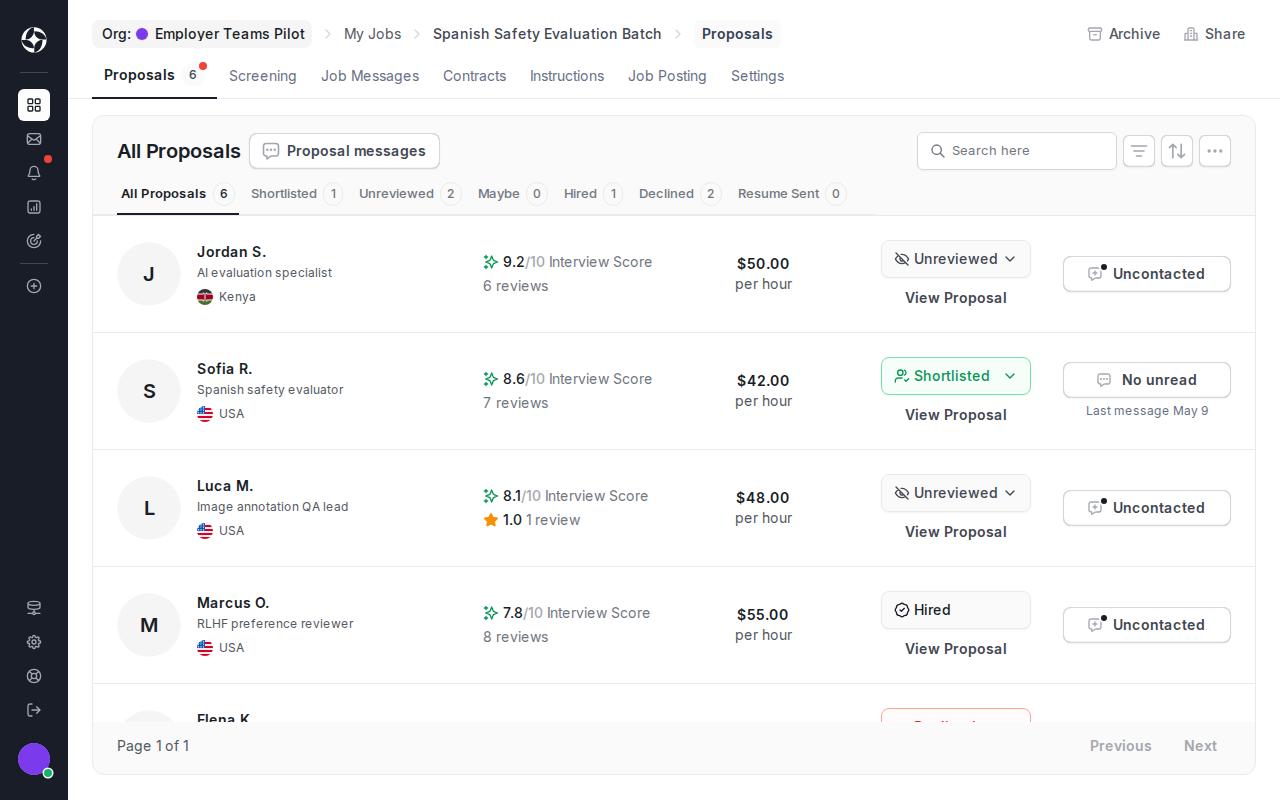
Triage the list
Section titled “Triage the list”Use proposal rows to decide who needs deeper review:
- Interview score summarizes the AI interview result when screening is configured.
- Status filters separate unreviewed, shortlisted, maybe, hired, declined, and resume-sent candidates.
- Rate shows the candidate’s proposed pricing.
- Proposal messages opens pre-hire conversations.
- View Proposal opens the full proposal and profile context.
These signals support your review. They do not replace your hiring decision.
Review a candidate
Section titled “Review a candidate”Click View Proposal to open the proposal detail. Review the proposal message, profile context, rate, location, interview summary, and any screening answers before you update the status or start hiring.
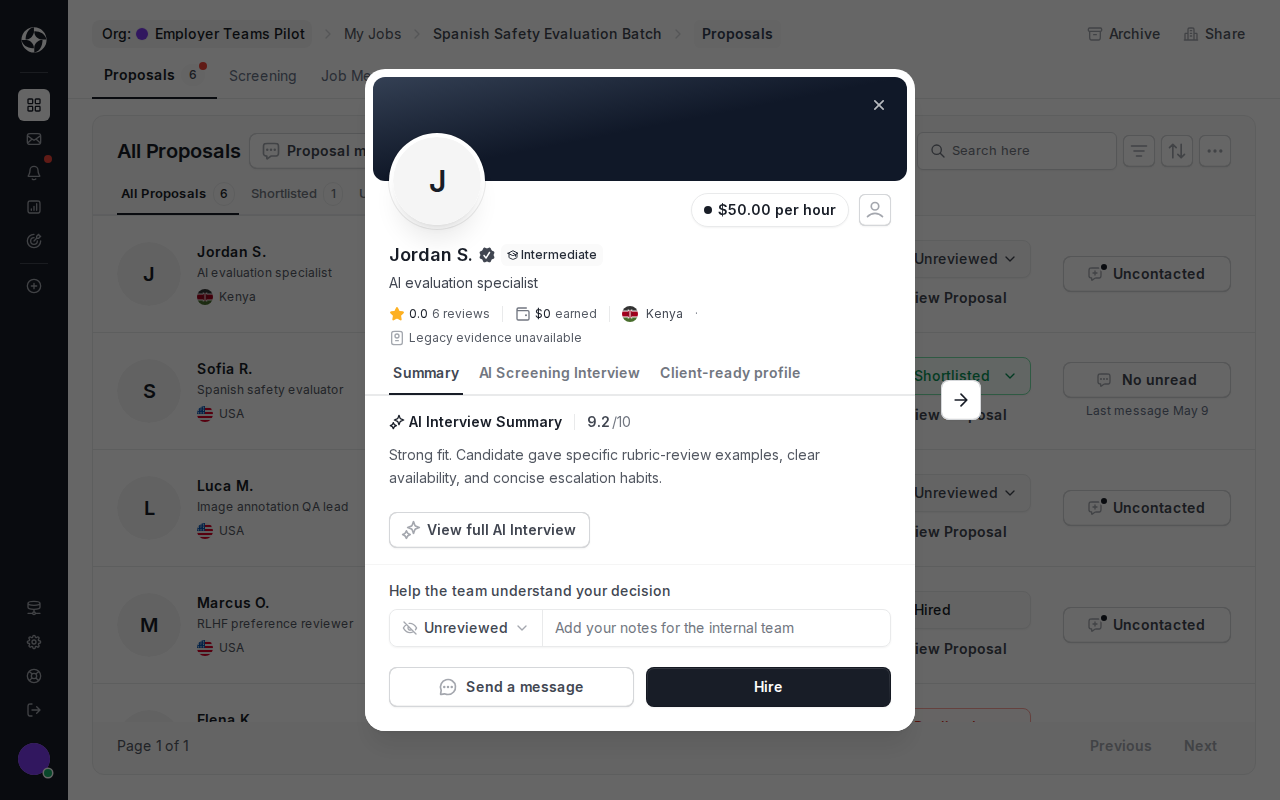
Use the review status and internal notes to keep your team aligned.
Message before hiring
Section titled “Message before hiring”Use proposal messages for pre-hire questions about availability, work samples, domain experience, or project scope. Proposal messages stay tied to the proposal.
After hire, OpenTrain creates a separate job message thread for contract work and delivery coordination.
Move to hire
Section titled “Move to hire”When you are ready, click Hire from the proposal detail and continue to Hire and manage contracts.