
.svg)
.svg)
OPENTRAIN AI DOCUMENTATION
Delete your account
How to delete your OpenTrain AI account from your in-app account settings.
You can delete your OpenTrain AI account from your account settings. OpenTrain AI signs you out immediately, and the rest of the cleanup runs automatically a short time later.
Before you delete your account
Section titled “Before you delete your account”Account deletion is permanent. If any of the situations below apply to you, contact OpenTrain AI support before continuing — these cases need a person to look at them:
- You have a pending payout, an unsettled invoice, a refund, or a billing question.
- You are part of an active job, contract, offer, or open application that is not yet resolved.
- You cannot sign in to your account.
To reach support, message OpenTrain AI from the chat widget on opentrain.ai or app.opentrain.ai before continuing.
Delete your account
Section titled “Delete your account”Open your account settings
Sign in at app.opentrain.ai and open your account settings.
Choose Delete account
In your account settings, find and click Delete account.
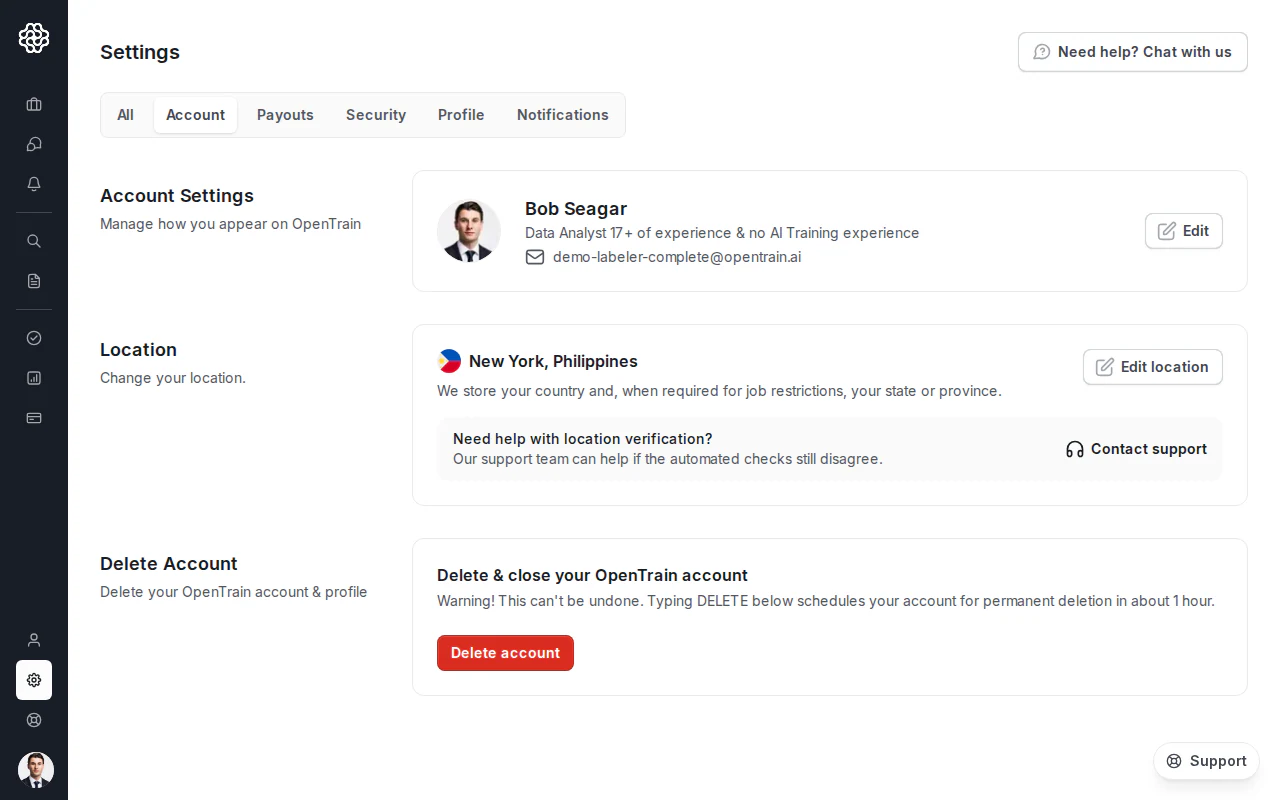
Confirm by typing DELETE
Type DELETE in the confirmation field, exactly as shown, and submit the form.
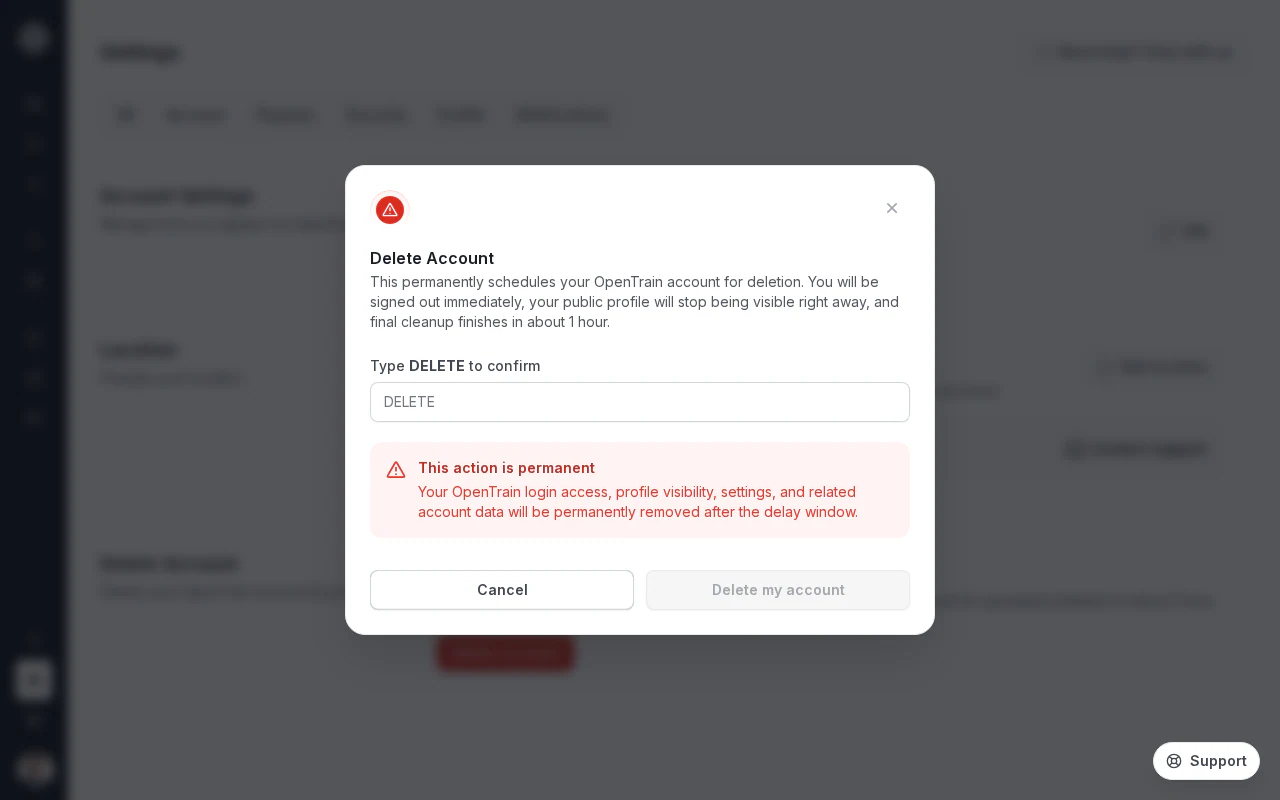
You are signed out
OpenTrain AI signs you out immediately and shows a confirmation that your account deletion is scheduled.
What happens after you confirm
Section titled “What happens after you confirm”- Right away: you are signed out, your account is closed, and your profile is no longer visible on the platform.
- About one hour later: OpenTrain AI completes the rest of your account cleanup automatically.
You can close the browser tab once the in-product confirmation appears. The cleanup runs on its own.
Need more help?
Section titled “Need more help?”If the Delete account option does not appear, or you cannot finish the deletion flow, contact OpenTrain AI support from the chat widget on opentrain.ai or app.opentrain.ai and a person will help.