
.svg)
.svg)
OPENTRAIN AI DOCUMENTATION
Organization balance access
Approve or reject teammate requests to use the organization balance for scoped job and folder milestone actions.
Organization balance access protects delegated balance funding and release actions when teammates help manage jobs or folders. Owners can approve access requests so teammates can use the organization balance for scoped milestone actions without giving them broader organization control.
When authorization is needed
Section titled “When authorization is needed”A teammate may need organization balance access before they can hire with the organization balance, fund a milestone with the organization balance, or release a milestone funded from the organization balance. The request is tied to the job or folder scope.
Where to find requests
Section titled “Where to find requests”Owners review organization balance access on the Payment access requests page in the employer dashboard. There are two entry points, and both land on the same page:
- Employer dashboard: open Payment access requests from the employer dashboard to see every pending and recently decided request.
- Request email: when a teammate submits a request, OpenTrain emails the owner. Open the link in that email and sign in, and it takes you to the same Payment access requests page.
The decision always happens inside OpenTrain, so the signed-in owner account must own the job or folder named in the request.
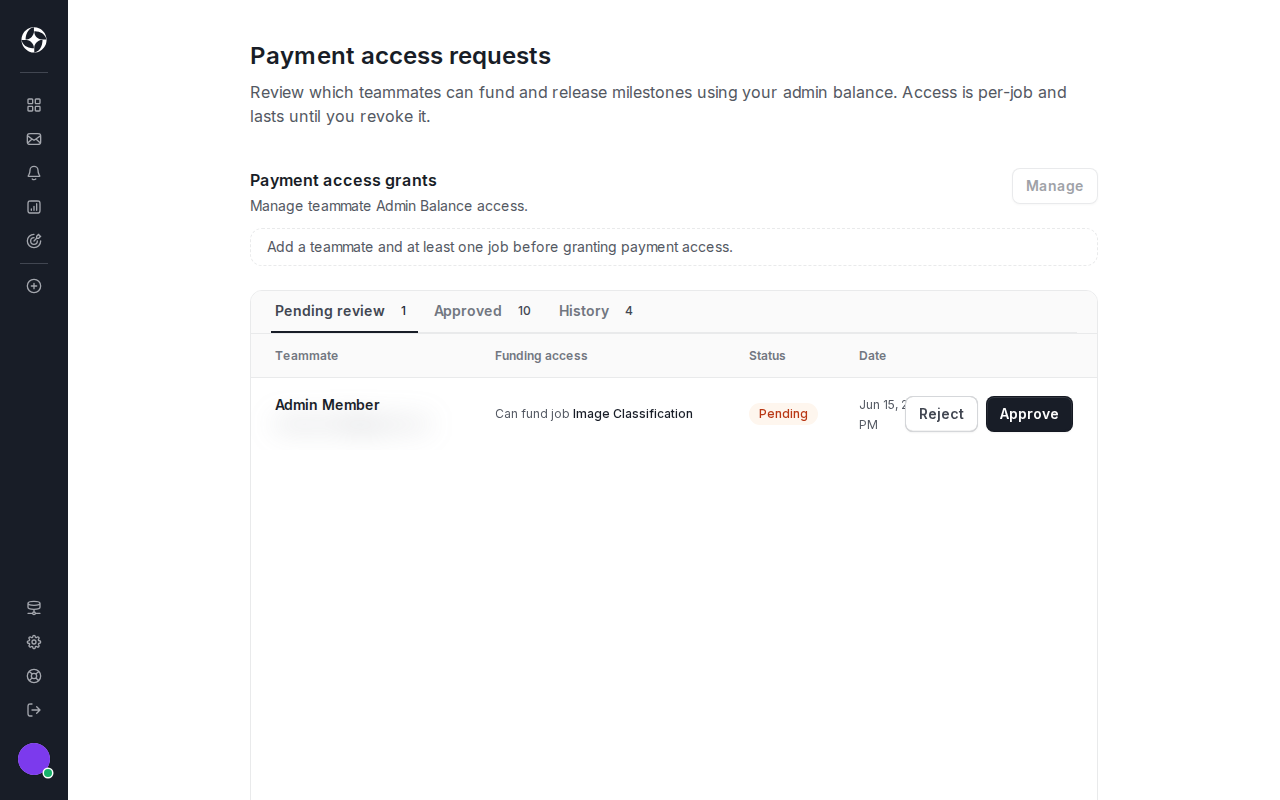
Review and decide
Section titled “Review and decide”Each request shows:
- the teammate requesting access;
- the job or folder scope;
- the requested balance funding or release action;
- the expiry or revocation state where shown.
Approve only when the teammate should be able to complete the scoped balance action. Reject requests that are unclear or no longer needed.
Revoke or expire access
Section titled “Revoke or expire access”Organization balance access follows the same job and folder access you manage for teammates, so you revoke it from the surface that controls that access:
- One job: open the job and use Share in the job header, or open Job Settings -> Project access to review and remove the teammate’s access.
- A folder: open the folder and use Share in the folder header. Removing a folder share also removes access to the jobs inside it.
- Across the organization: open Employer Settings -> Team, select the teammate, and use Manage access to change their job and folder assignments, or remove them from the organization entirely.
Expired requests must be recreated before they can be approved. See Folders and team access for the full team and project access model, and Billing and payment methods for funding milestones and approving completed work.