


OPENTRAIN AI DOCUMENTATION
Agency plans and billing
Compare the Free, Basic, and Pro agency plans on OpenTrain AI, start the 30-day Basic trial with no card, and learn about proposal limits, fees, and cancellation.
Agency plans decide how many proposals your agency can send. Every plan includes your agency profile and lets you browse the projects that are open to agencies.
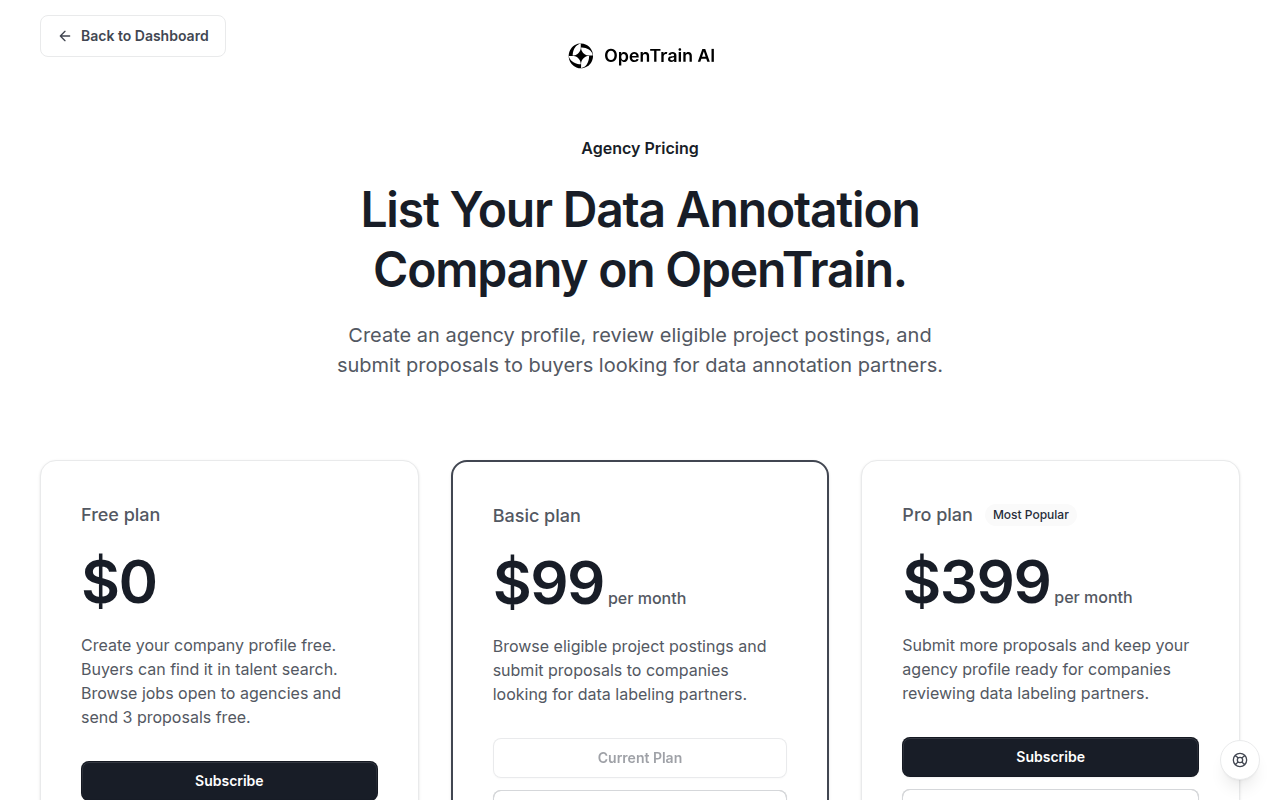
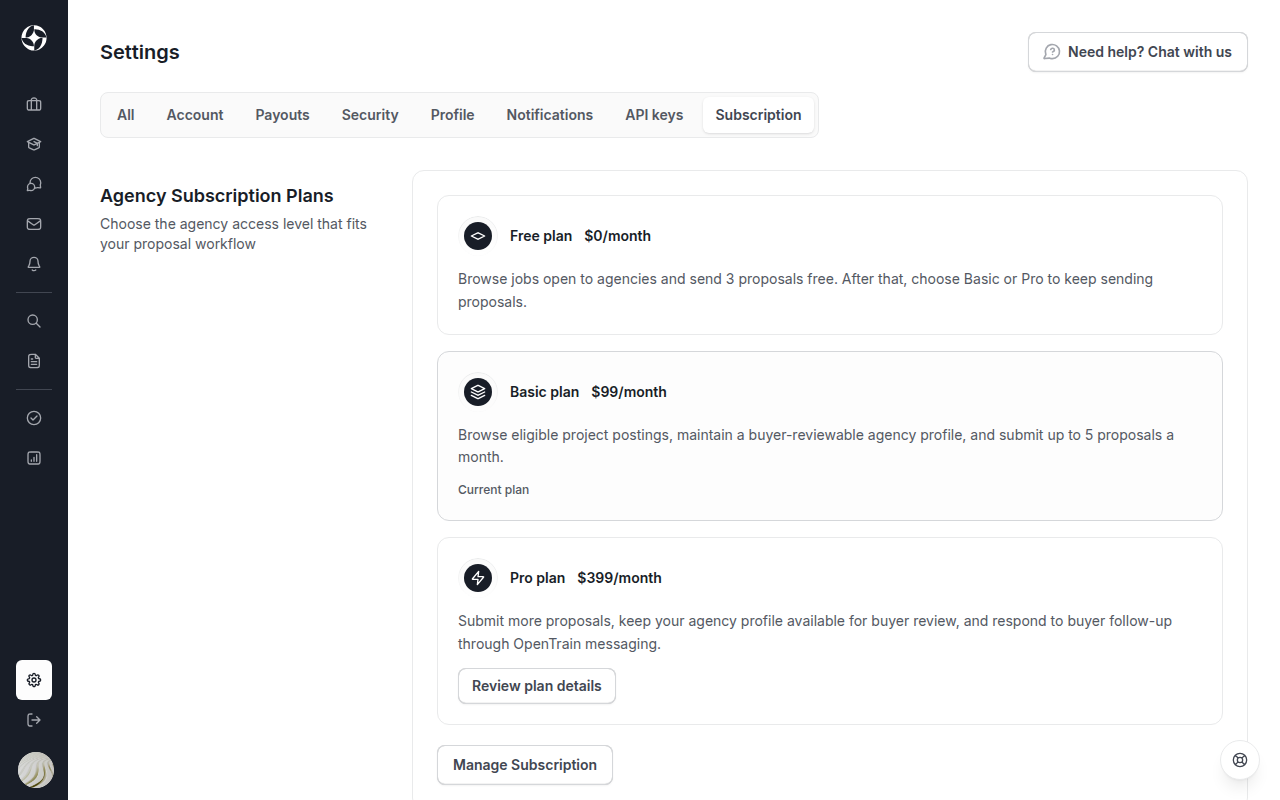
To see your current plan, open Settings and select the Subscription tab. It shows the three plans and marks your current one. On the Free plan it also shows how many free proposals you have left. Select Review plan details under Basic or Pro to open the plan page. Use a computer: the plan page does not open on a phone.
Compare plans
Section titled “Compare plans”| Plan | Price | Proposals |
|---|---|---|
| Free | $0 | 3 in total, to get started |
| Basic | $99 a month | More than the 3 free proposals |
| Pro | $399 a month | No limit |
- Free: create your company profile, which employers can find in talent search. Browse the projects open to agencies and send 3 proposals.
- Basic: everything in Free, and more proposals than the Free plan. You can try Basic free for 30 days.
- Pro: everything in Basic, with no limit on proposals.
Prices are in US dollars. Always check the plan page for the current details before you subscribe.
How proposal limits work
Section titled “How proposal limits work”- Free: 3 proposals in total, not 3 a month. Every proposal your agency has sent counts, including ones sent on a trial or a paid plan and ones you withdrew.
- Basic, the Basic trial, and Pro: the 3-proposal limit of the Free plan does not apply.
When a Free agency has used all 3, the next proposal is not sent. A plan window opens instead, where you can start the trial or choose a plan. See Find projects and send proposals.
The 30-day Basic trial
Section titled “The 30-day Basic trial”Start the trial
On the plan page, select Start 30-day free trial on the Basic plan. You do not need a card. Your agency has Basic access right away.
Track the days left
While the trial runs, the plan page shows how many days are left.
Subscribe before it ends, or let it end
To keep Basic access, select Subscribe to Basic before the trial ends. If you do nothing, the trial ends on its own and your agency goes back to the Free plan. Nothing is charged, because no card is on file.
Each agency can start the trial once.
Subscribe, change, or cancel
Section titled “Subscribe, change, or cancel”Subscribe
On the plan page, select Subscribe on Basic or Pro and complete the secure Stripe checkout. When the payment goes through, OpenTrain AI shows Subscription Active.
Change or cancel
On a paid plan, open Settings and the Subscription tab, then select Manage Subscription. It opens Stripe’s subscription page, where you can change or cancel your plan at any time. There is no long-term commitment.
For a discount on a long-term commitment, or other questions about plans, select Chat with Sales on the plan page.
Fees on client payments
Section titled “Fees on client payments”OpenTrain AI takes no commission or markup on projects you win. Apart from a paid plan’s monthly fee, the only charge is a payment processing fee when a client pays you through OpenTrain AI:
- Client pays through OpenTrain AI: the client deposits funds by card or bank transfer. When the project or milestone is completed and approved, OpenTrain AI transfers the funds to you minus payment processing and card fees, typically 3% to 5%.
- Client pays you directly: you can agree a direct payment with a client outside OpenTrain AI. OpenTrain AI charges no fee on that payment.