


OPENTRAIN AI DOCUMENTATION
Create an agency account
Sign up for OpenTrain AI as a data labeling company: choose the agency account type, add your company name and country, verify your email, and start agency setup.
Use an agency account if your company provides data labeling, annotation, or AI training services with a team. Setup has two parts: create your account, then complete your agency profile.
If you work on your own, create an AI trainer account instead. If you want to hire, see Create an employer account.
Before you start
Section titled “Before you start”- Use a computer. Agency setup and the plan page do not open on a phone. On a phone they show Continue on desktop.
- An email address you can open. OpenTrain AI sends a 6-digit code to it.
- Your company details: the company name, the country where your main operations office is, and a phone number. The profile steps also ask for your team size, the tools and data types you work with, your pricing, and examples of past projects. See Complete your agency profile for the full list.
Create your account
Section titled “Create your account”Open the sign-up page
Go to app.opentrain.ai and choose Sign up. Enter your email address and a password of at least 8 characters.
Choose the agency account type
On Tell us more about your goal, select I have a Data Labeling Company. Tick the box to agree to the Terms of Service and Privacy Policy, then select Continue.
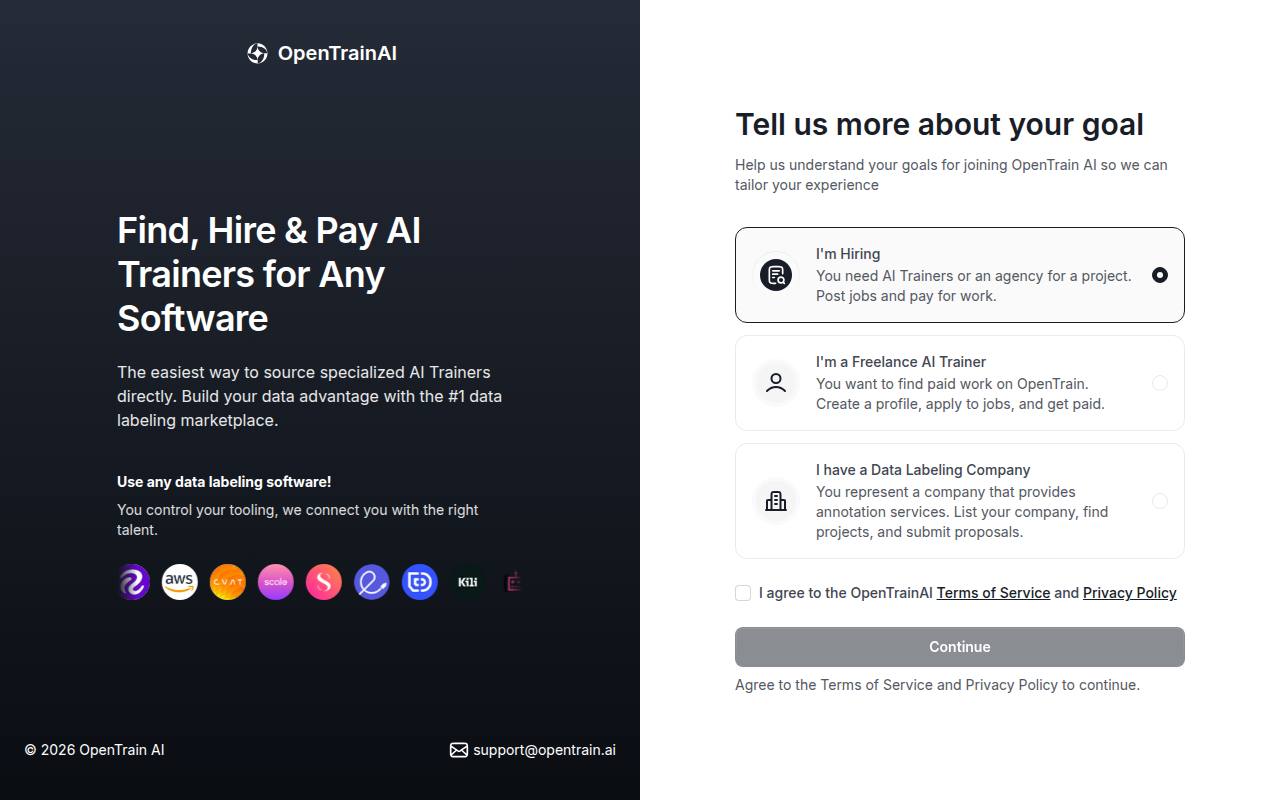
The next screen says You’re joining as an Agency. Select Continue, or select Change role to go back.
Add your company name and country
On Let us get to know more about your company, enter the name of your data labeling company in Company/Organization and choose your Country, then select Confirm. Employers see this company name on your profile and your proposals.
Verify your email
OpenTrain AI sends a 6-digit code to your email address. Enter it to confirm the address is yours. If the code does not arrive or is not accepted, see Sign-in and verification code help.
Start onboarding
The next screen says your account is verified and prepares your setup steps. When it is ready, select Start Onboarding. Agency setup opens at the first step.
Next step
Section titled “Next step”Add your locations, skills, languages, team size, security practices, pricing, and past projects.