
.svg)
.svg)
OPENTRAIN AI DOCUMENTATION
AI screening
Use AI interview requirements and structured screening fields to compare candidates before hiring.
AI screening helps you review candidates before a proposal reaches the hiring decision. For jobs with screening configured, candidates complete an AI interview first. You receive structured answers, interview context, and comparison signals in the employer workspace.
Set the interview requirements
Section titled “Set the interview requirements”You configure screening in Step 5 of the job wizard. The AI interview requirements are the instructions the interviewer follows with each applicant.
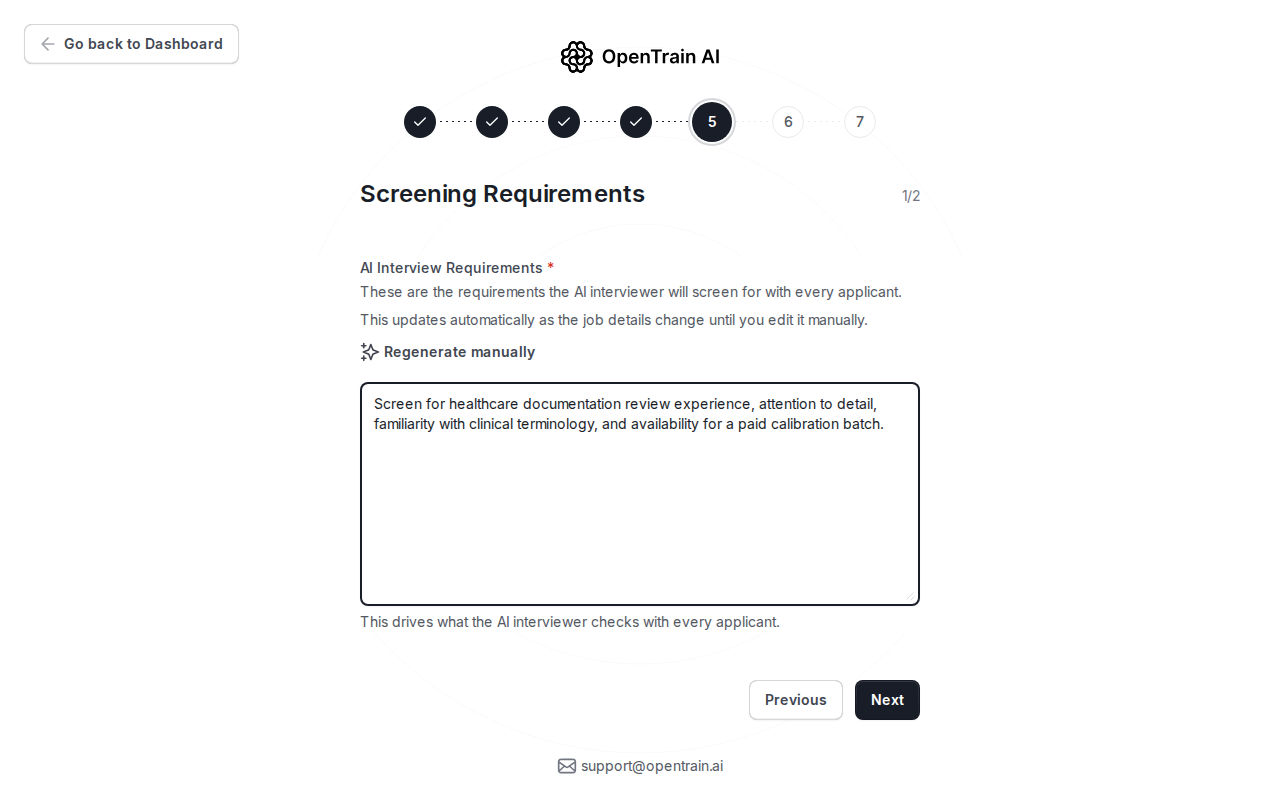
Good screening instructions usually include:
- credentials or domain experience to verify;
- tools, data types, or task types the candidate should know;
- availability, timezone, or workload constraints;
- any role-specific questions you want answered before proposal review.
Choose the screening depth
Section titled “Choose the screening depth”Use the second screening step to set the expected experience level and turn on the screening signals that matter for this job.
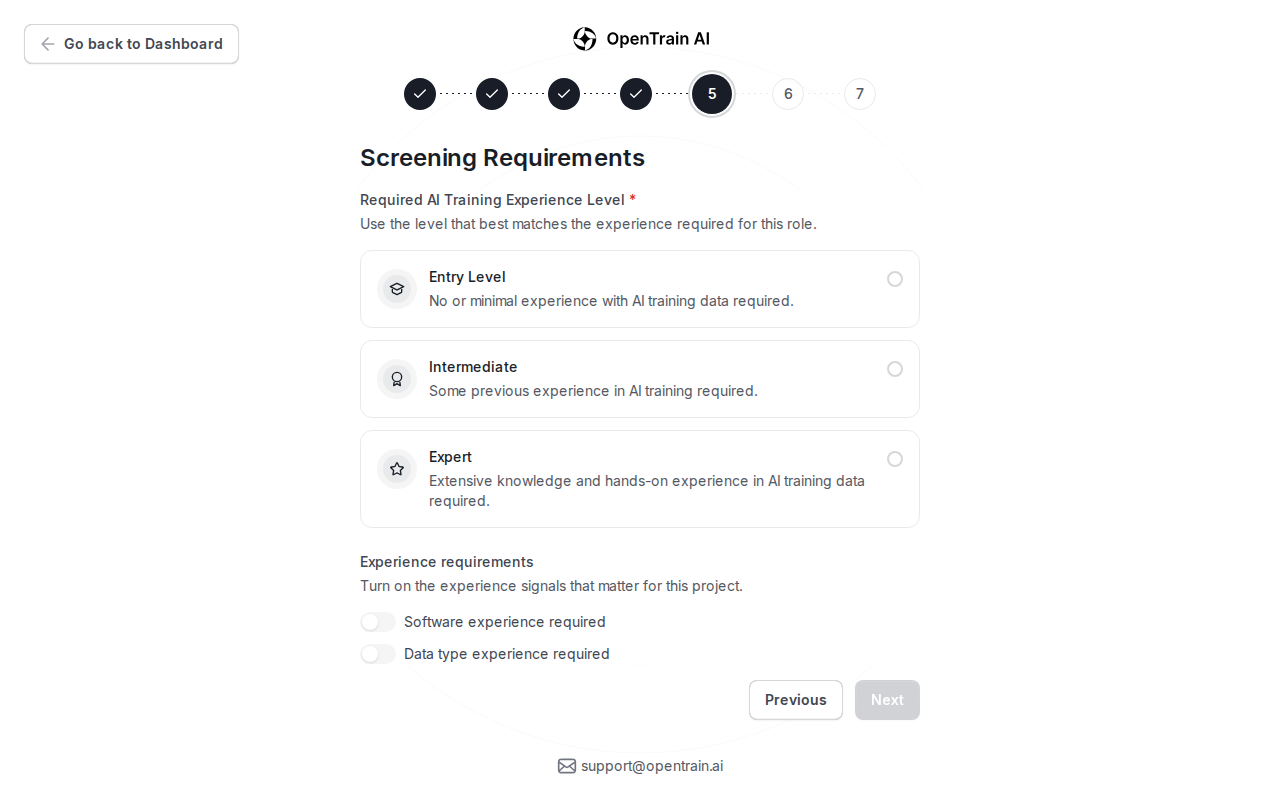
For recruiting-configured jobs, structured interview extraction can collect fields such as LinkedIn profile, years of experience, availability, or custom answers. Those fields appear in the screening table and CSV export.
What candidates do
Section titled “What candidates do”When a candidate starts a proposal for a screened job:
- They answer the AI interview questions before submitting the proposal.
- The interviewer asks for the evidence you configured.
- Required answers are captured in a structured format.
- The candidate submits the proposal after the interview is complete.
The interview can use resume and profile context to flag mismatches. Those signals help review; they do not replace your hiring decision.
Where you review answers
Section titled “Where you review answers”Screening answers appear in proposal review and folder-level screening. Use them to compare applicants by the same fields instead of reading every proposal from scratch.
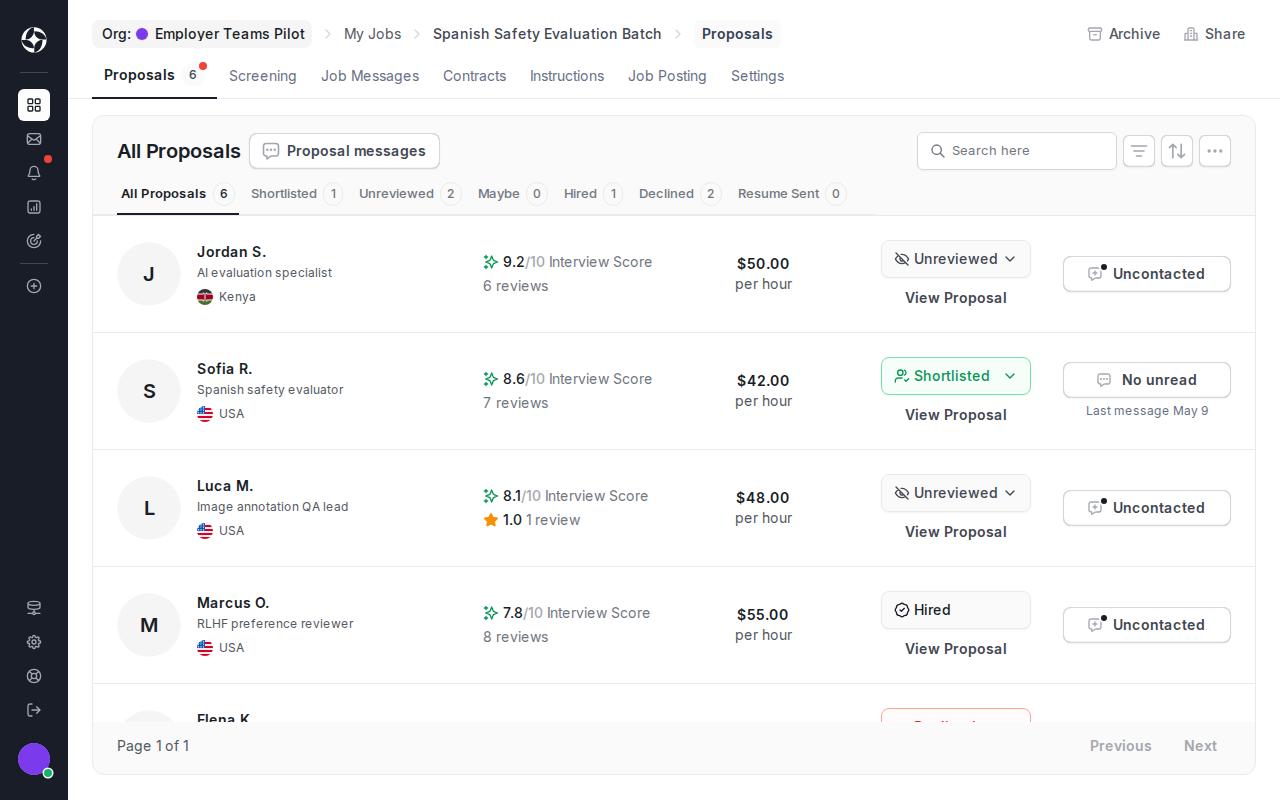
For folders, the Screening tab aggregates candidates across related jobs. Use it when you are reviewing a client campaign, hiring sprint, or multiple similar roles together.
Export screening data
Section titled “Export screening data”If CSV export is available for your folder:
- Open the folder.
- Go to Screening.
- Apply the filters you want reflected in the export.
- Click Export CSV.
The export contains one row per candidate and one column per configured screening field.