
.svg)
.svg)
OPENTRAIN AI DOCUMENTATION
Billing and payment methods
Set up employer payment methods, fund milestones, approve completed work, and download invoices.
Employers use OpenTrain payments to fund milestones, approve completed work, and download invoice records.
Add a payment method
Section titled “Add a payment method”Open employer billing settings before your first hire. OpenTrain uses Stripe for secure payment processing. Your payment details are handled by Stripe, not stored directly by OpenTrain.
Fund work when you hire
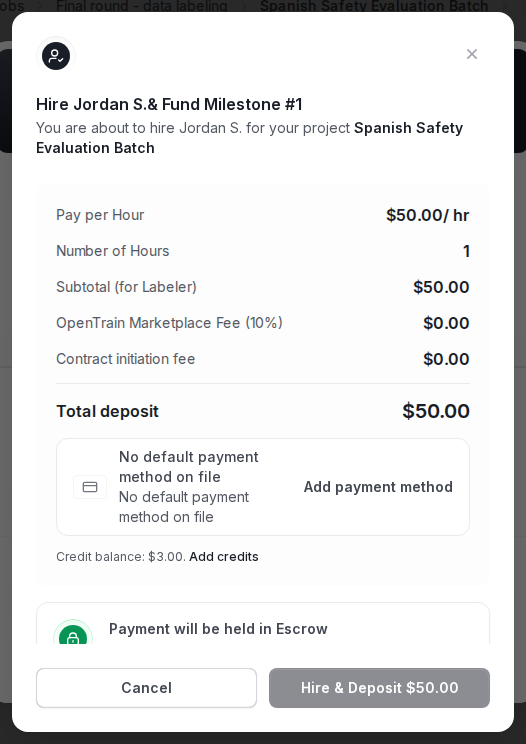
Section titled “Fund work when you hire”The first payment action usually happens in the hire flow. Review the milestone amount, deposit total, and payment method before confirming.
Manage milestone payments
Section titled “Manage milestone payments”After hire, the Contract tab shows funded, not-funded, and paid milestones.
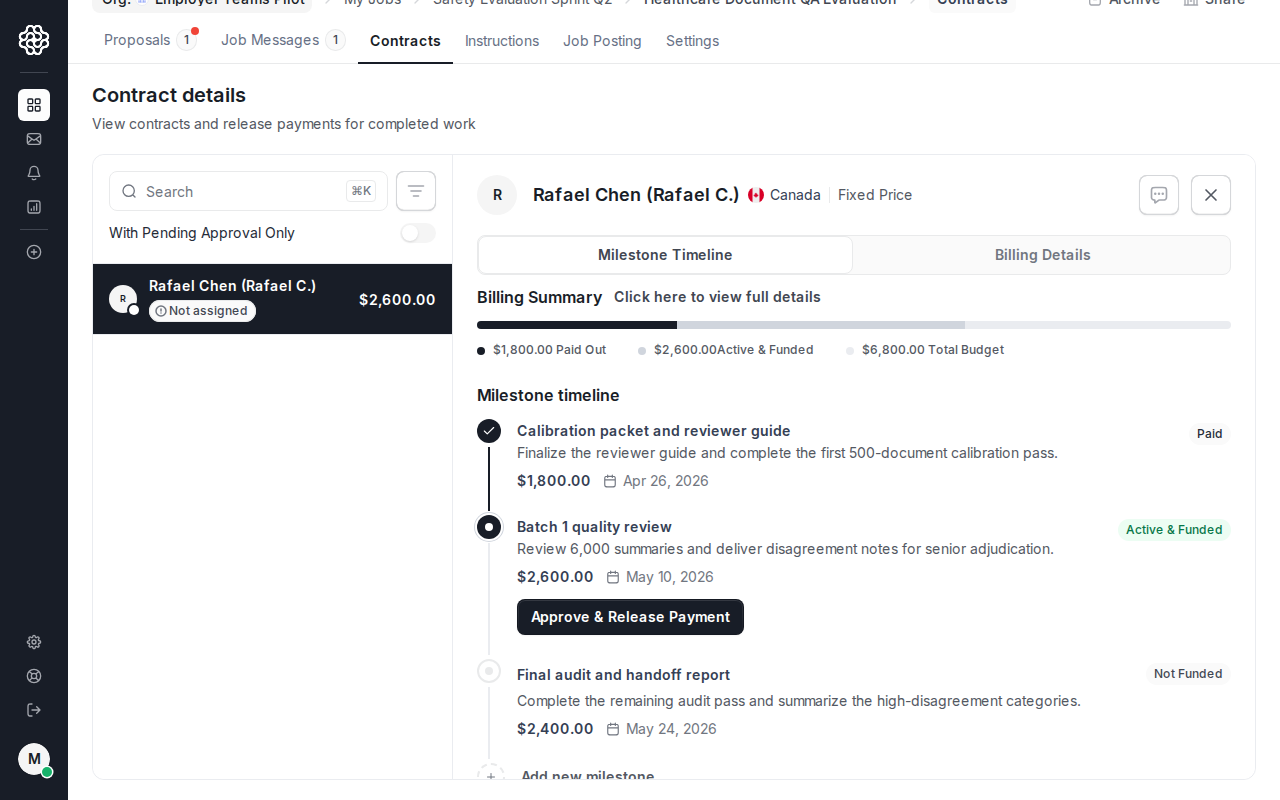
Approve completed work only after you have reviewed the deliverable.
Download invoices
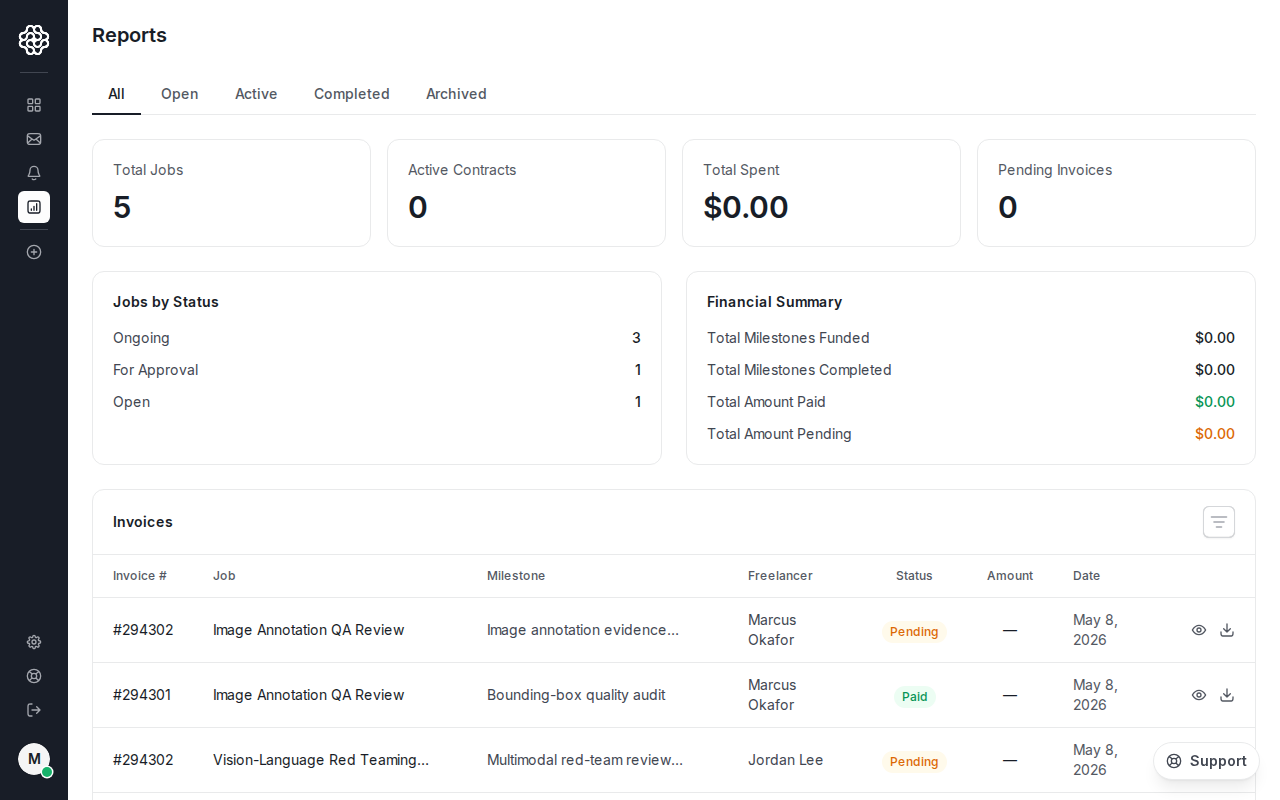
Section titled “Download invoices”Use Reports to view and download employer invoices.
Payment issues
Section titled “Payment issues”Contact support@opentrain.ai if a payment method fails, a charge looks wrong, or you need help with a payment dispute. Do not send card numbers, bank account details, full invoices with private billing data, passwords, or verification codes in messages or email.