
.svg)
.svg)
OPENTRAIN AI DOCUMENTATION
Messages
Use proposal messages before hire and job messages after hire.
OpenTrain separates pre-hire and post-hire conversations so proposal review does not get mixed with active contract work.
Proposal messages
Section titled “Proposal messages”Proposal messages are 1:1 conversations with candidates before a hire. Use them for availability, work samples, experience questions, or project clarifications.

Job messages
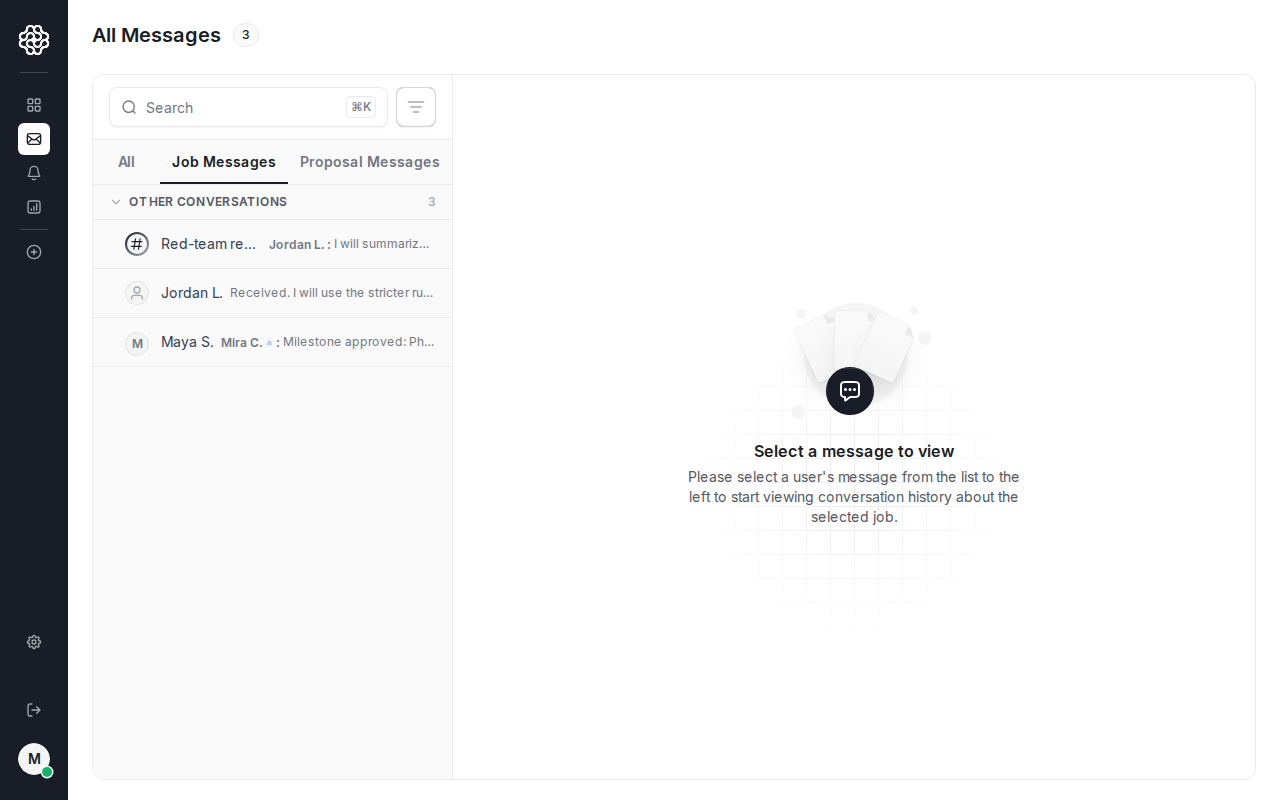
Section titled “Job messages”After you hire an AI trainer, OpenTrain creates job messages for contract work. Use these threads for delivery coordination, milestone questions, and ongoing project updates.
Job channels
Section titled “Job channels”For multi-person jobs, create job channels so the team can coordinate in a shared thread instead of several separate DMs.

Keep sensitive details out of messages
Section titled “Keep sensitive details out of messages”Do not send card numbers, bank details, ID documents, passwords, verification codes, or private customer data through messages. Use support if a payment, account, or security issue needs review.