> ## Documentation Index
> Fetch the complete documentation index at: https://opentrain.ai/docs/llms.txt
> Use this file to discover all available pages before exploring further.
# Review proposals
> Review candidate proposals, compare screening evidence, message applicants, and decide who to hire.
After you publish a job, matched AI trainers can complete screening and submit proposals. The employer job workspace shows proposal status, rates, candidate context, screening evidence, messaging, and hiring actions.
## Open the Proposals tab
From **My Jobs**, open the job and select **Proposals**.
 ## Triage the list
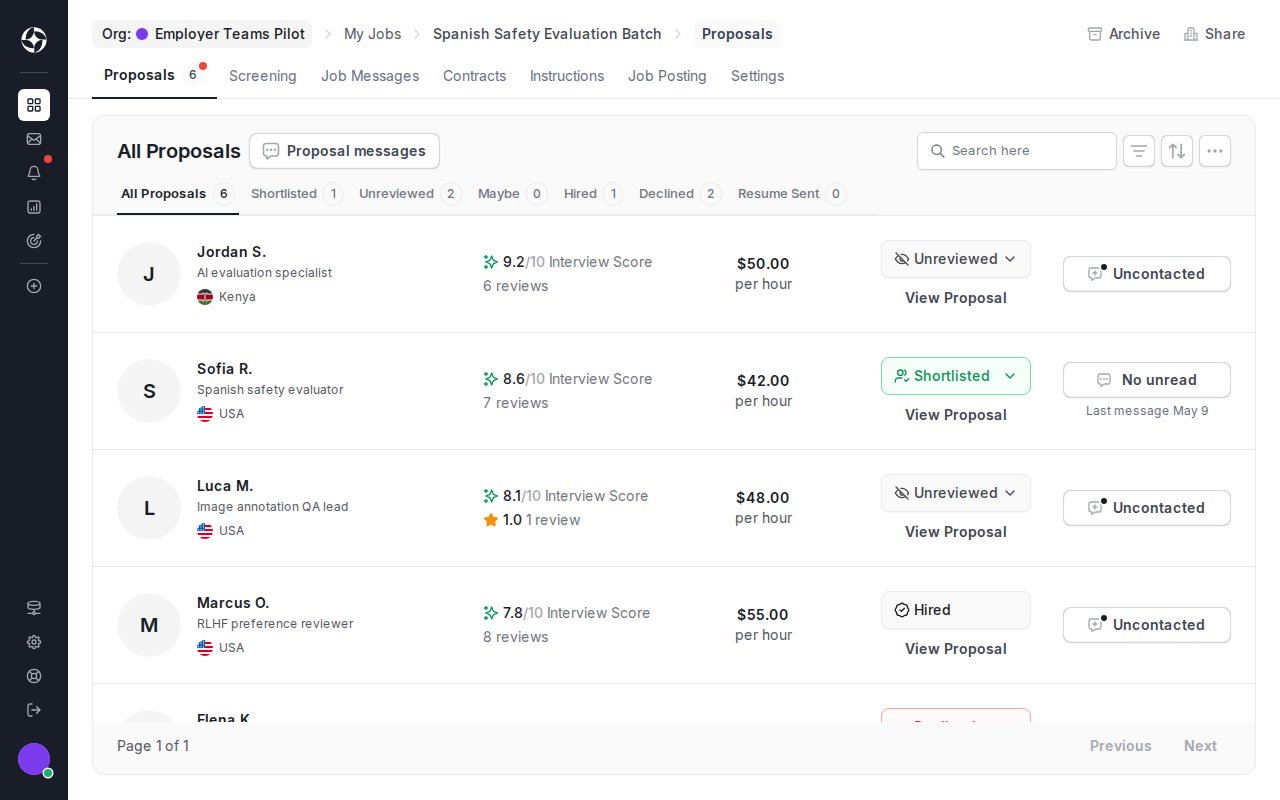
Use proposal rows to decide who needs deeper review:
* **Interview score** summarizes the AI interview result when screening is configured.
* **Status filters** separate unreviewed, shortlisted, maybe, hired, declined, and resume-sent candidates.
* **Rate** shows the candidate's proposed pricing.
* **Proposal messages** opens pre-hire conversations.
* **View Proposal** opens the full proposal and profile context.
These signals support your review. They do not replace your hiring decision.
## Review a candidate
Click **View Proposal** to open the proposal detail. Review the proposal message, profile context, rate, location, interview summary, and any screening answers before you update the status or start hiring.
## Triage the list
Use proposal rows to decide who needs deeper review:
* **Interview score** summarizes the AI interview result when screening is configured.
* **Status filters** separate unreviewed, shortlisted, maybe, hired, declined, and resume-sent candidates.
* **Rate** shows the candidate's proposed pricing.
* **Proposal messages** opens pre-hire conversations.
* **View Proposal** opens the full proposal and profile context.
These signals support your review. They do not replace your hiring decision.
## Review a candidate
Click **View Proposal** to open the proposal detail. Review the proposal message, profile context, rate, location, interview summary, and any screening answers before you update the status or start hiring.
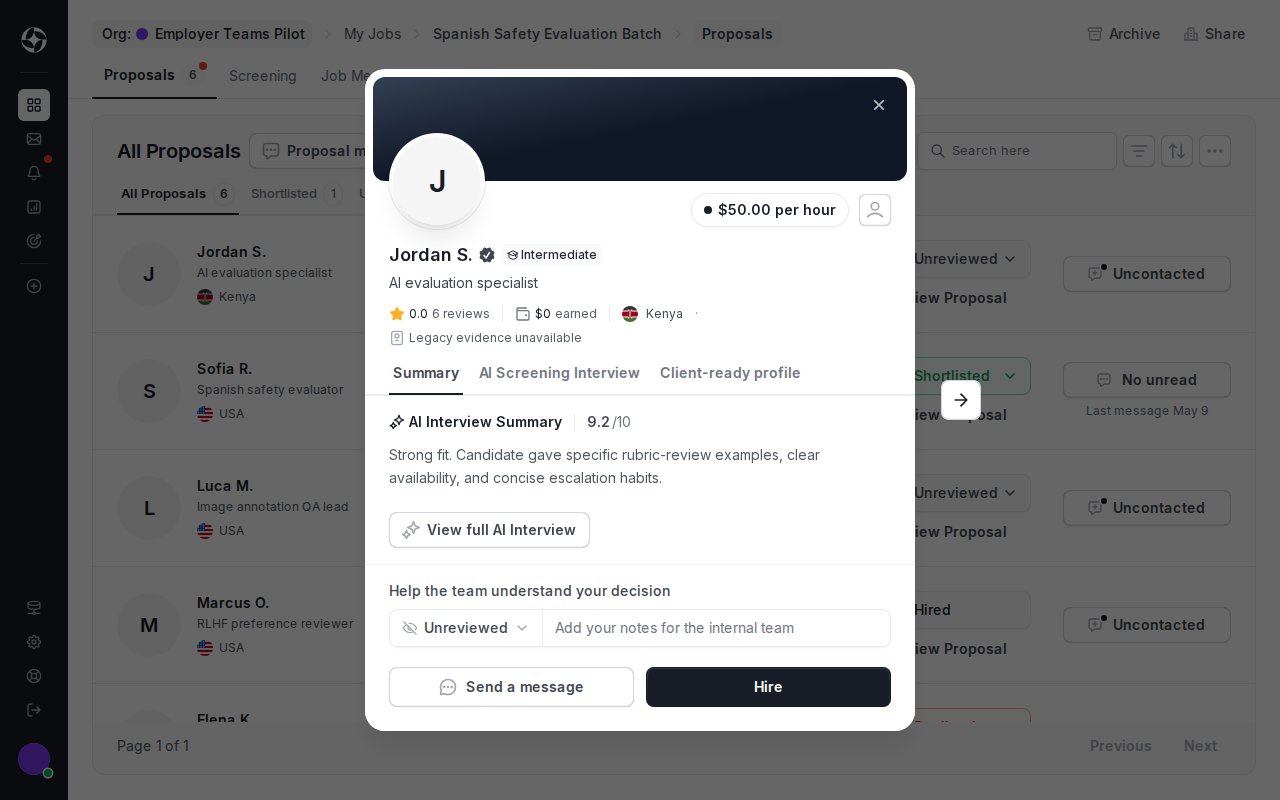 Use the review status and internal notes to keep your team aligned.
## Message before hiring
Use proposal messages for pre-hire questions about availability, work samples, domain experience, or project scope. Proposal messages stay tied to the proposal.
After hire, OpenTrain creates a separate job message thread for contract work and delivery coordination.
## Move to hire
When you are ready, click **Hire** from the proposal detail and continue to [Hire and manage contracts](/docs/employers/hire-contracts-milestones).
Use the review status and internal notes to keep your team aligned.
## Message before hiring
Use proposal messages for pre-hire questions about availability, work samples, domain experience, or project scope. Proposal messages stay tied to the proposal.
After hire, OpenTrain creates a separate job message thread for contract work and delivery coordination.
## Move to hire
When you are ready, click **Hire** from the proposal detail and continue to [Hire and manage contracts](/docs/employers/hire-contracts-milestones).