> ## Documentation Index
> Fetch the complete documentation index at: https://opentrain.ai/docs/llms.txt
> Use this file to discover all available pages before exploring further.
# Hire and manage contracts
> Hire an AI trainer, fund the first milestone, manage contract work, and approve completed milestones.
Hiring creates the contract, funds the first milestone, and opens the post-hire workspace for job messages, instructions, and milestone management.
## Start from a reviewed proposal
Open the proposal detail and click **Hire** when you are ready to move forward.
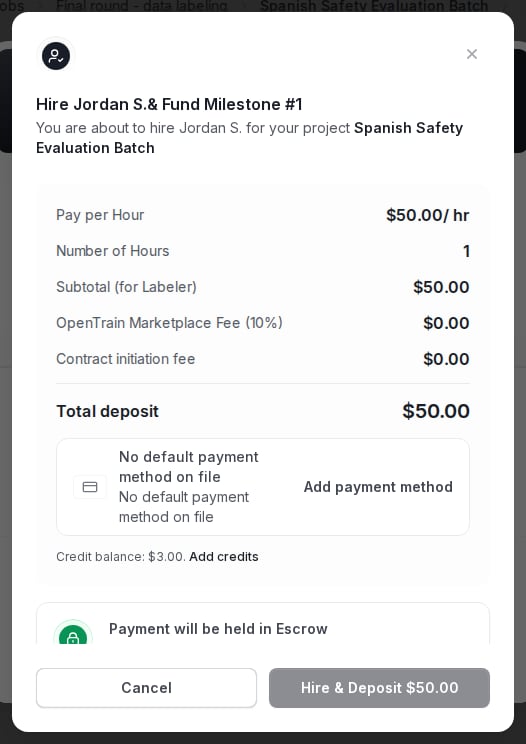 The hire flow asks for the first milestone amount, description, and optional due date. Review the payment method before you confirm.
## What happens after hire
After hire:
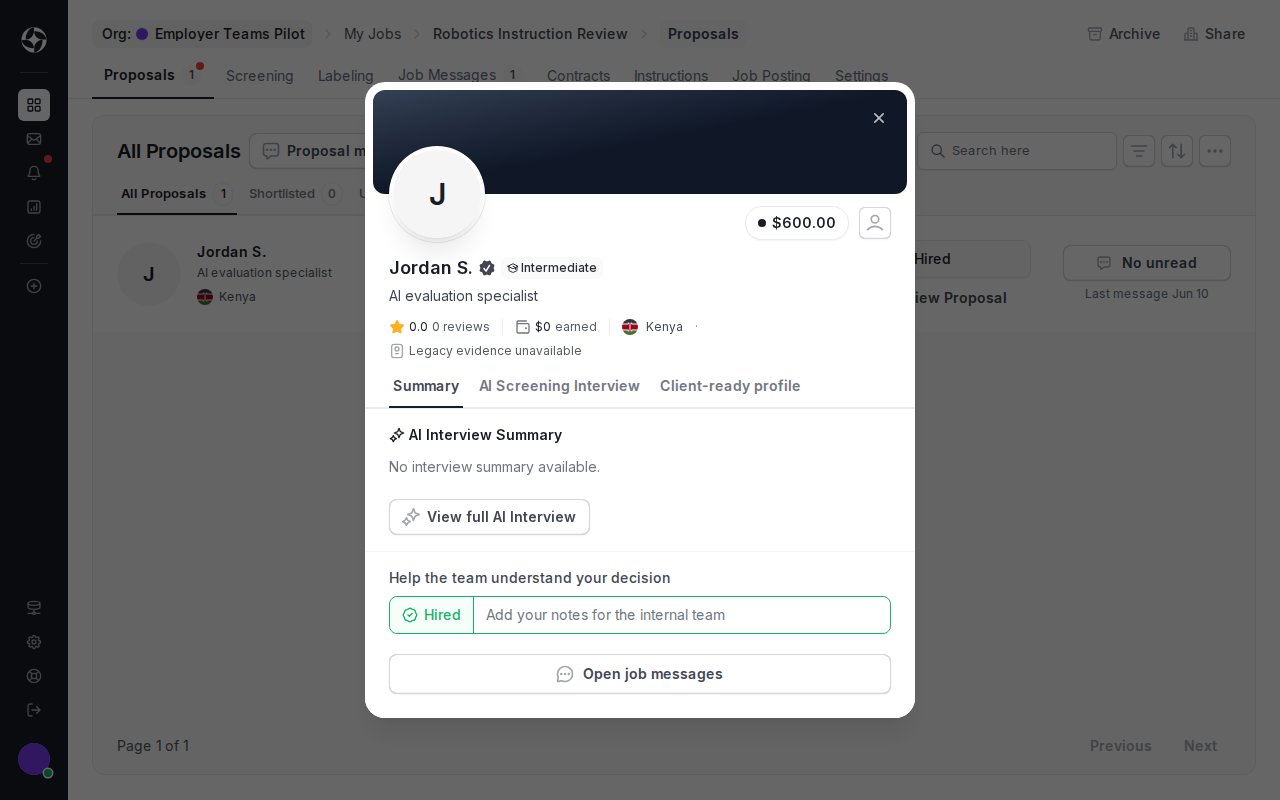
* the proposal moves to **Hired**;
* OpenTrain creates a contract for the AI trainer;
* the first milestone becomes visible in the contract;
* post-hire job messages become the right place for delivery coordination.
The hire flow asks for the first milestone amount, description, and optional due date. Review the payment method before you confirm.
## What happens after hire
After hire:
* the proposal moves to **Hired**;
* OpenTrain creates a contract for the AI trainer;
* the first milestone becomes visible in the contract;
* post-hire job messages become the right place for delivery coordination.
 ## Manage milestones
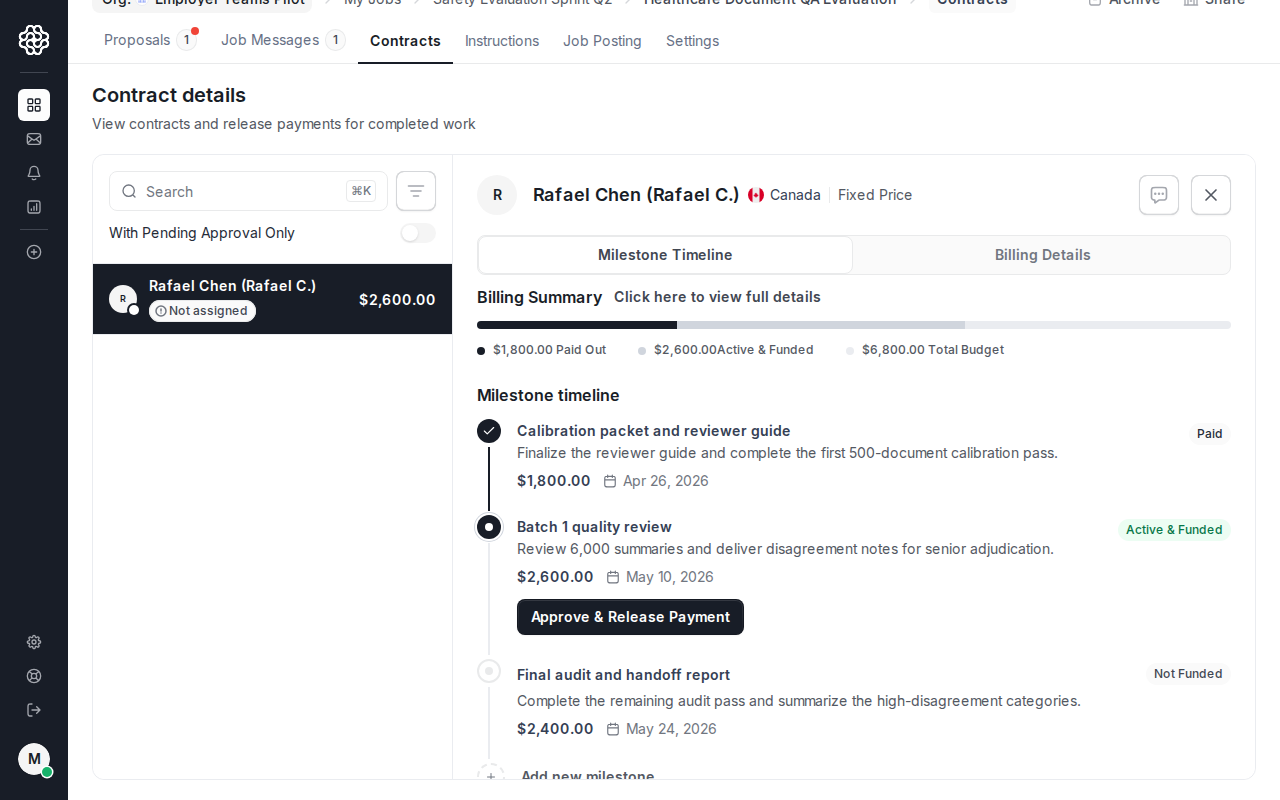
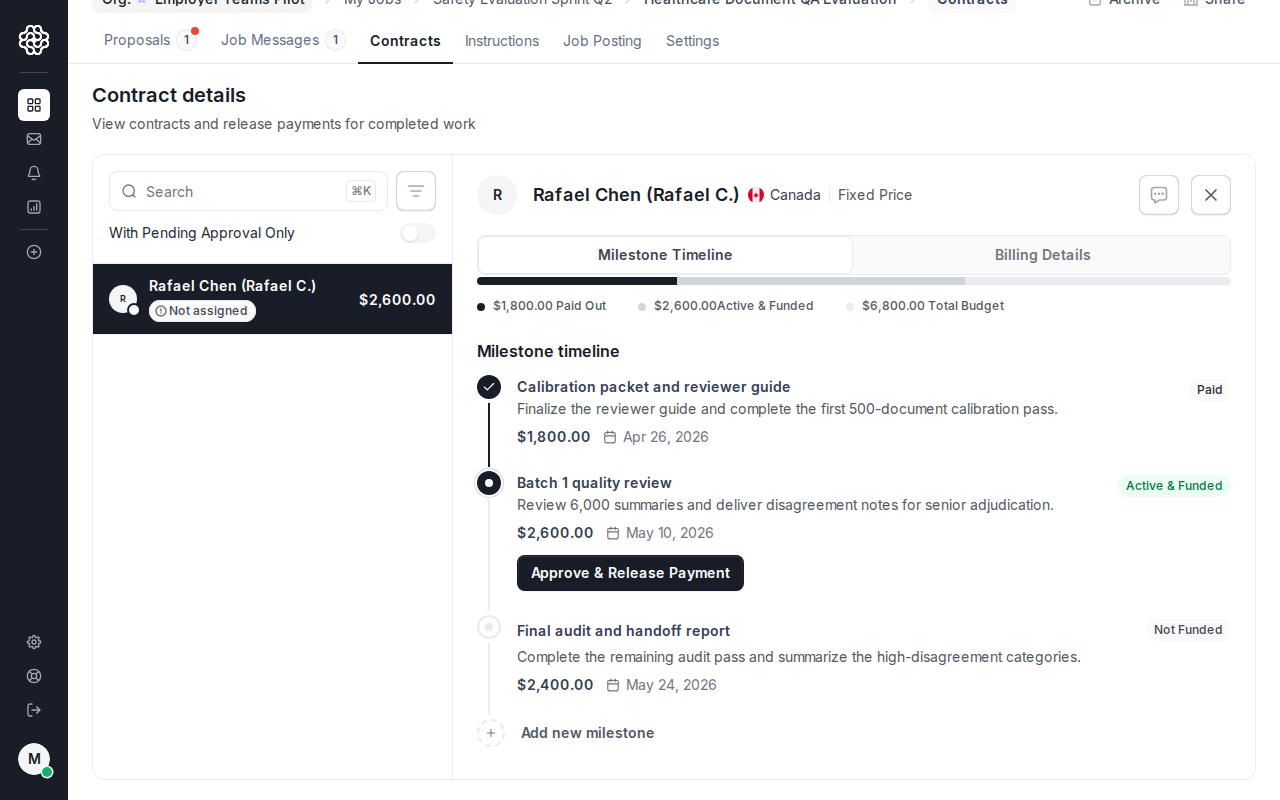
Open the **Contract** tab to review funded work, add later milestones, approve completed work, and keep payment history tied to the job.
## Manage milestones
Open the **Contract** tab to review funded work, add later milestones, approve completed work, and keep payment history tied to the job.
 ## Add and fund later milestones
For subsequent work, click **Add Milestone** from the contract. Each milestone needs a deliverable description, amount, and optional due date.
## Add and fund later milestones
For subsequent work, click **Add Milestone** from the contract. Each milestone needs a deliverable description, amount, and optional due date.
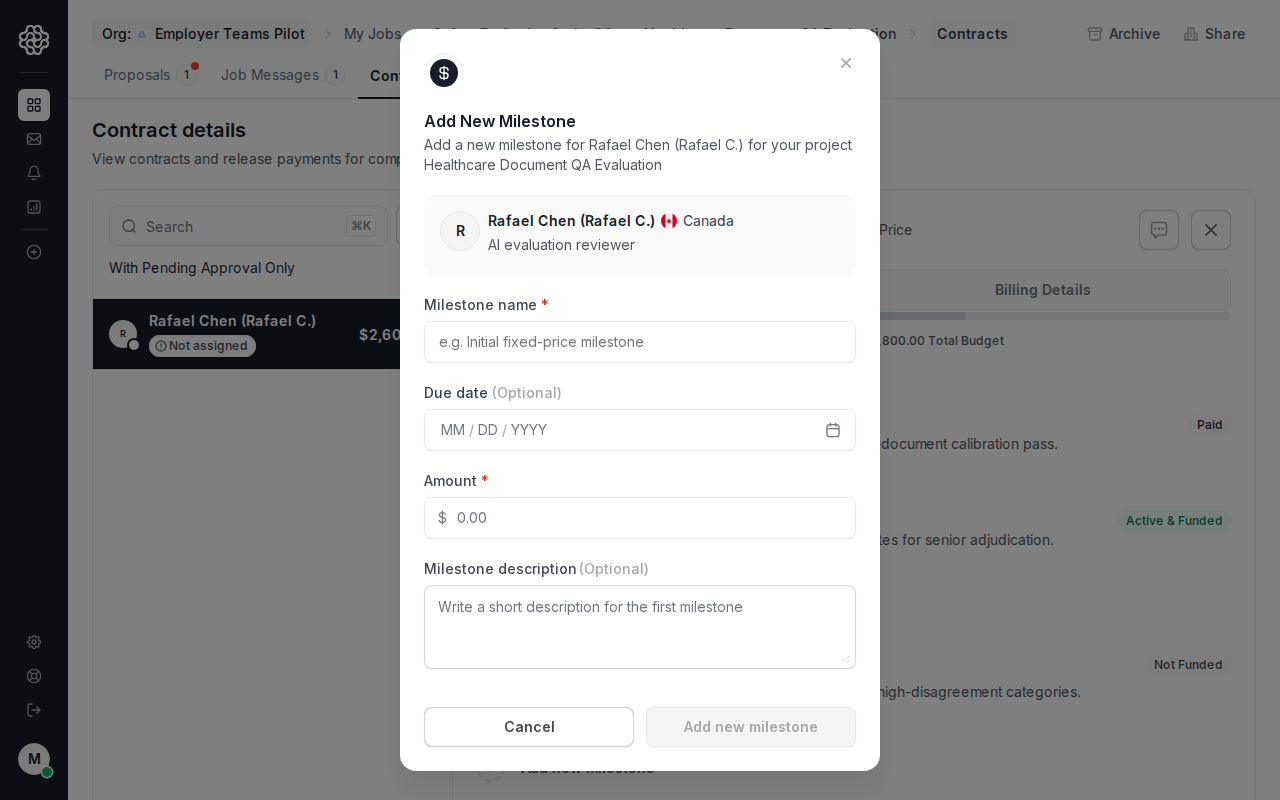 Milestones can be created before they are funded. They remain **Not Funded** until payment is collected.
## Approve completed work
Approve milestones only after you have reviewed the delivered work. When you approve, OpenTrain starts payout to the AI trainer's connected payout method and marks the milestone as paid.
Milestones can be created before they are funded. They remain **Not Funded** until payment is collected.
## Approve completed work
Approve milestones only after you have reviewed the delivered work. When you approve, OpenTrain starts payout to the AI trainer's connected payout method and marks the milestone as paid.
 Released funds are not self-serve reversible in the platform. Contact support if you need help with a payment dispute or mistaken approval.